

Incorporating technology in the classroom can make learning more interactive, engaging, and efficient. Here are some innovative tech products available on Amazon that can transform your classroom and elevate your teaching methods.

Creating a well-organized and efficient classroom environment is crucial for maximizing student learning and engagement. One simple yet effective tool that can significantly improve classroom management is a wireless doorbell. This device can be used for a variety of purposes, from signaling transitions to capturing students’ attention without raising your voice. Here’s why a classroom doorbell is a must-have.
Why Use a Classroom Doorbell?
1. Smooth Transitions:
A classroom doorbell helps signal the end of one activity and the beginning of another, making transitions smoother and more efficient.
2. Attention Getter:
With a pleasant chime, you can quickly capture students’ attention without the need to raise your voice, helping maintain a calm and orderly environment.
3. Positive Reinforcement:
Use the doorbell as a cue for positive behaviors, reinforcing good habits and classroom routines.
4. Versatility:
It can be used for multiple purposes such as signaling group rotations, start/end of recess, or alerting the class to a visitor.
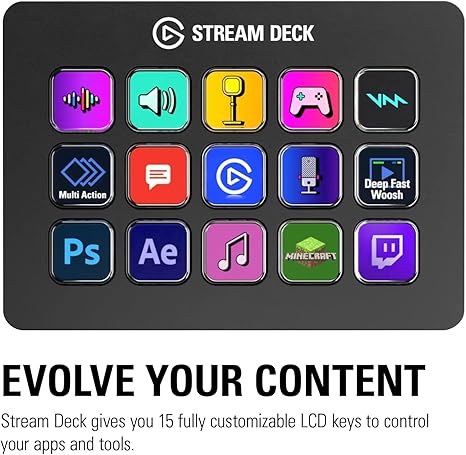
One innovative tool that teachers are starting to use is the Elgato Stream Deck. Originally designed for gamers and streamers, this customizable control pad offers a range of features that can be incredibly useful in an educational setting. Here’s how you can use a Stream Deck to enhance your classroom.
What is a Stream Deck?
The Elgato Stream Deck is a compact device with programmable buttons that allow you to control various applications and functions with a single press. Each button can display custom icons, making it easy to remember their functions.
How to Use a Stream Deck in the Classroom
**1. Lesson Transitions: Program the Stream Deck to switch between different multimedia sources, such as slideshows, videos, and documents, with just one click. This ensures smooth and seamless transitions during lessons.
**2. Interactive Learning: Use the Stream Deck to quickly access interactive tools like online quizzes, educational games, and student response systems. This keeps students engaged and makes learning more dynamic.
**3. Classroom Management: Set up buttons for frequently used classroom management tasks, such as taking attendance, setting timers, or playing attention-getting sounds.
**4. Instant Feedback: Program buttons to provide immediate feedback to students, such as displaying correct answers or showing encouraging messages.
**5. Virtual Teaching: For online classes, the Stream Deck can control your video conferencing software, allowing you to mute/unmute, share your screen, and manage participants efficiently.
Top Features of the Elgato Stream Deck
- Customizable Buttons: Each button can be programmed with unique functions and custom icons.
- Ease of Use: Intuitive drag-and-drop interface for programming buttons.
- Versatility: Compatible with various applications and platforms.
- Compact Design: Takes up minimal desk space.

A wireless presenter, also known as a presentation clicker, can be a game-changer in the classroom. This handy tool allows teachers to move freely while presenting, enhancing both engagement and interaction with students. Here’s why you should consider incorporating a wireless presenter into your teaching toolkit.
Why Use a Wireless Presenter in the Classroom?
1. Increased Mobility:
A wireless presenter frees you from being tethered to your computer, allowing you to move around the classroom. This mobility helps you engage with students more effectively and maintain their attention.
2. Smooth Presentations:
With the ability to control your slides remotely, transitions between different parts of your presentation become seamless, ensuring a professional and polished delivery.
3. Interactive Teaching:
Being able to walk around the room while presenting enables you to interact more closely with students, facilitating better discussions and more dynamic teaching.
4. Reduced Distractions:
Using a presenter minimizes the need to return to your computer to change slides, reducing interruptions and maintaining the flow of your lesson.
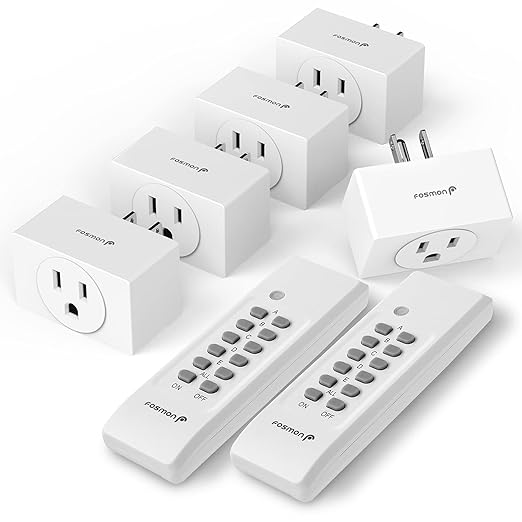
Lighting plays a crucial role in creating an effective learning environment. Using remote control outlet plugs for lamps can simplify your classroom management, enhance safety, and provide flexibility in controlling the lighting. Here’s how you can use remote control outlet plugs to manage your classroom lamps more efficiently.
Why Use Remote Control Outlet Plugs for Lamps in the Classroom?
1. Convenient Lighting Control:
Turn lamps on and off with a remote from anywhere in the classroom, allowing you to adjust the lighting without interrupting your lesson.
2. Enhanced Classroom Safety:
Easily switch off lamps when they are not in use, reducing the risk of electrical hazards and preventing overheating.
3. Energy Efficiency:
Remote control outlet plugs help save energy by ensuring lamps are only on when needed, reducing electricity costs.
4. Flexible Lighting Options:
Quickly adjust lighting levels to suit different activities, whether it’s reading, group work, or presentations.
By thoughtfully incorporating these tech products, teachers can transform their classrooms into modern, innovative spaces. As technology continues to evolve, staying updated with the latest tools is essential for maximizing student potential and maintaining a competitive edge in education.
Invest in these tech products and watch your classroom transform into a hub of excitement and discovery, where learning knows no bounds.
Disclosure: This post contains affiliate links. If you use these links to buy something, we may earn a commission at no additional cost to you. Thank you for supporting our blog!

 Coffee IEPS Chaos